Convert a Shapefile to GeoParquet (Python, DuckDB, Sedona)
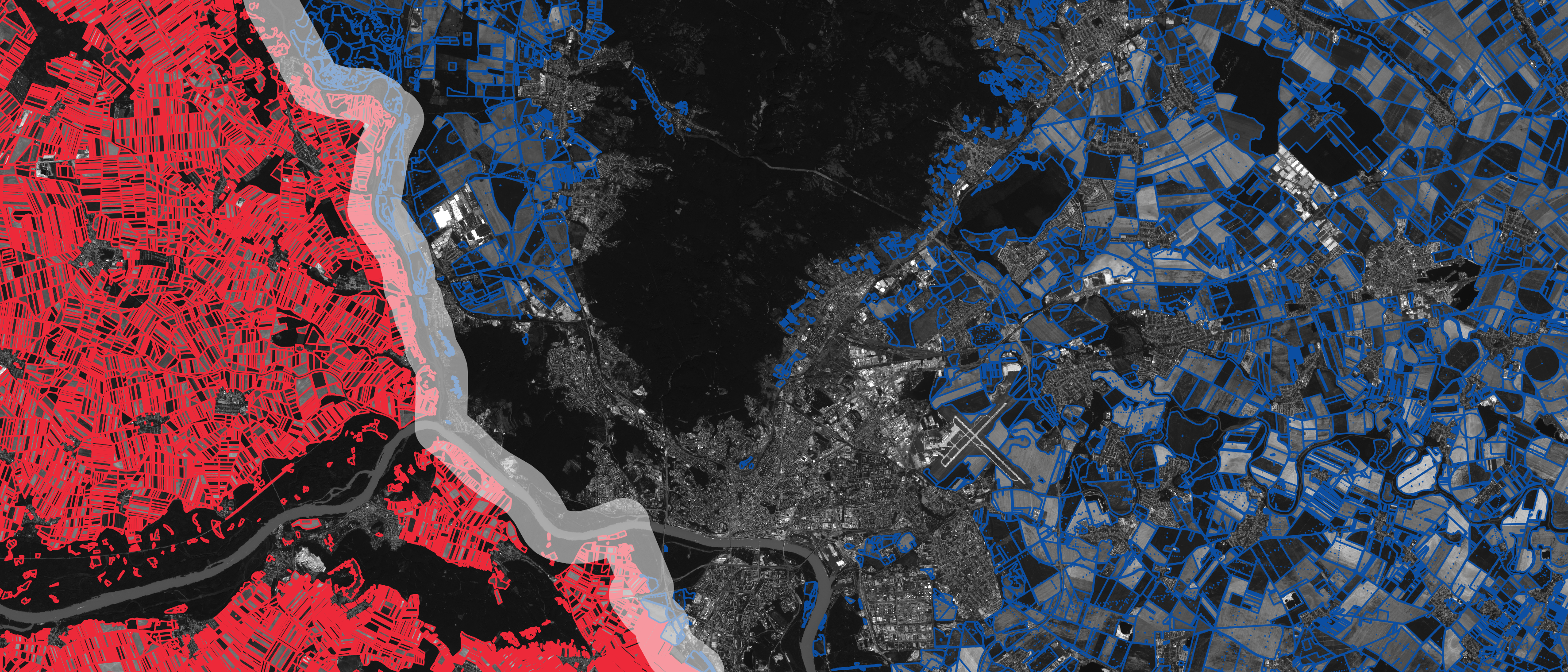
I took a real Shapefile with almost 1.1 million polygons and converted it to GeoParquet three different ways. The file went from over 1.4 GB of source data down to 246 MB, opened cleanly in QGIS, and ran spatial queries in seconds instead of minutes.
The dataset was the New York City building footprints. Every building across the five boroughs. That is not a small file, and the Shapefile format was never built to carry it. If your work still lives in Shapefiles or other older formats, this guide shows you how to convert a Shapefile to GeoParquet and why the move is worth making.
The format change is not even the interesting part. What matters is what GeoParquet lets you do after the conversion. I will cover that at the end.
What Is GeoParquet?
Parquet is a columnar file format built for analytical systems and big data queries. GeoParquet adds a geometry column to that format, so you get one file that holds your attributes and your spatial data together.
Three things make GeoParquet fast:
- Compression. The file size drops sharply compared to a Shapefile or GeoJSON because of how Parquet packs data.
- Columnar storage. Your data is stored in columns, not rows. If your query needs 3 columns out of 10, the engine ignores 70% of the data right away.
- Metadata and row groups. The file metadata holds the bounding box, so an engine can decide whether a file even falls inside your spatial query before reading it. Inside the file, row groups carry their own metadata, so the engine can skip whole chunks of rows that do not matter for the query.
Together, those features let a query engine prune data efficiently, read less from disk, and return results faster.
GeoParquet now has first-party support in QGIS 4, which was just released. You can drag and drop a GeoParquet file like any other layer. No third-party plugin needed. ArcGIS can read it too.
Shapefile vs GeoParquet
Shapefiles are not the worst thing in the world. They were an ingenious way to split geospatial data when GIS first needed it. The format separates the geometry (.shp), the attribute database (.dbf), and the projection (.prj) into different files, so a renderer only has to read the part it needs. That separation was smart design.
The problem is scale. A Shapefile is not one file. It is at least four files that you have to zip together to share, and if any one of them goes missing, the whole thing breaks.
| Feature | Shapefile | GeoParquet |
|---|---|---|
| Number of files | 4+ files, zipped together | 1 file |
| Size limit | 2 GB cap | No practical cap |
| Attribute name length | 10 characters max | Full-length column names |
| Storage layout | Row-based | Columnar |
| Compression | Limited | Strong |
| Built for | Desktop rendering | Analytical queries at scale |
| Query pruning | None | Bounding box + row group metadata |
For small datasets like neighborhood boundaries or a subset of roads, Shapefiles work fine. For a million building footprints, they fall over. The NYC building data was so large I had to download it as GeoJSON and convert it to a Shapefile just to set up this demo, and even then GeoJSON has its own limit because it packs everything into one uncompressed file.
The Tools You Will Use
Four technologies show up in this workflow, and they all sit on top of one engine.
- GDAL (Geospatial Data Abstraction Library) is the translation layer that turns one format into another. I call it the Rosetta Stone of geospatial data. You use it even when you do not know you are using it, because QGIS, GeoPandas, and DuckDB all rely on it under the hood.
- GeoPandas is a Python library that reads spatial data into a DataFrame, a temporary data object you can work with in memory.
- DuckDB is an analytics engine with a spatial extension. It runs SQL on in-memory and Parquet-backed data and scales to large volumes.
- Apache Sedona (Sedona DB) is a query layer focused purely on spatial work. It reads GeoParquet efficiently and handles projections better than the alternatives.
A note on installation. GeoPandas can hit dependency issues with pip because it needs Shapely, PyProj, and Pyogrio, which leans on GDAL. DuckDB avoids most of that because its spatial extension bundles GDAL for you. On a Mac I install GDAL with Homebrew (brew install gdal). On Windows, OSGeo4W is a solid package for getting GDAL in place.
Method 1: Convert a Shapefile to GeoParquet With Python and GeoPandas
This is the cleanest path. Read the Shapefile into a GeoPandas DataFrame, then write it straight to GeoParquet.
import geopandas as gpd

# Read the Shapefile into a GeoDataFrame
buildings_gpd = gpd.read_file("buildings.shp")

# Inspect the first rows to confirm it loaded correctly
buildings_gpd.head()

# Write it out as GeoParquet
buildings_gpd.to_parquet("buildings.parquet")
That is the whole conversion. Reading the 1.08 million building Shapefile took about 21 seconds. The output GeoParquet file came out to 246 MB, down from over 1.4 GB of source data and a 1 GB GeoJSON. No errors. Drag the .parquet file into QGIS 4 and it loads, pans, and zooms far more smoothly than the original.
Method 2: Convert a Shapefile to GeoParquet With DuckDB
DuckDB lets you do the same conversion in SQL. There are a few more steps because you set up a connection, install the spatial extension, read the Shapefile, create a table, then write it back out.
import duckdb

# Open a DuckDB connection
con = duckdb.connect()

# Install and load the spatial extension
con.execute("INSTALL spatial;")
con.execute("LOAD spatial;")

# Read the Shapefile directly into a DataFrame using ST_Read
con.execute("SELECT * FROM ST_Read('buildings.shp')").df()

# Create a table from the Shapefile, then write it to GeoParquet
con.execute("CREATE TABLE buildings AS SELECT * FROM ST_Read('buildings.shp')")
con.execute("COPY buildings TO 'buildings_duckdb.parquet' (FORMAT PARQUET)")
ST_Read uses GDAL under the hood to read the Shapefile. Because the spatial extension knows the geometry column, DuckDB can write native Parquet directly. The output file is roughly the same size as the GeoPandas version.
The advantage of this route is that the data is in memory as a table the moment you read it, so you can run spatial SQL against it before you ever write a file. For example:
SELECT ST_Area(geom) AS area FROM buildings;
One thing to watch: the NYC data is in EPSG:4326, so an area calculation in degrees returns meaningless numbers until you transform to a projected coordinate system. That transformation adds work, which is where the next tool earns its place.
Method 3: Query GeoParquet With Apache Sedona
Once you have GeoParquet, the real payoff is fast spatial analysis. Apache Sedona reads GeoParquet efficiently and handles coordinate reference systems more cleanly than the others. The smooth path is to read with GeoPandas, hand the DataFrame to Sedona, register a view, and run spatial SQL.
import sedona.db

# Create a Sedona connection
sd = sedona.db.connect()

# Bring the GeoPandas GeoDataFrame into Sedona as a Sedona DataFrame
buildings = sd.create_data_frame(buildings_gpd)

# Register it as a view so you can run SQL against it
buildings.to_view("buildings")
Loading the million-building frame into Sedona took about 2 seconds. Now you can run spatial queries. Calculating area in EPSG:4326 returns the wrong values, so transform to EPSG:2263, the Long Island State Plane projection that New York City is measured in.
result = sd.sql("""
    SELECT ST_Area(ST_Transform(geom, 'EPSG:4326', 'EPSG:2263')) AS area
    FROM buildings
""")
result.show()
That returns the area in feet in the correct projection, and it returns it fast. You can also reshape the output and write it back to GeoParquet. Here I keep the area, compute a centroid, and transform both:
query = sd.sql("""
    SELECT
        ST_Area(ST_Transform(geom, 'EPSG:4326', 'EPSG:2263')) AS area,
        ST_Transform(ST_Centroid(geom), 'EPSG:4326', 'EPSG:2263') AS geometry
    FROM buildings
""")

# Write the result to GeoParquet
query.to_parquet("buildings_sedona.parquet")
The Sedona output came out to 24 MB. Dropping it into QGIS loaded the centroids and areas with no issues.
Which Method Should You Use?
For a one-time conversion or all-desktop work, GeoPandas is the simplest. Read in, write out, done.
DuckDB is a strong choice when you want to run SQL against the data during the conversion, or when you need to write out partitioned files.
For heavy spatial logic on large data, push the work into Sedona. GeoPandas reads the Shapefile in cleanly, then Sedona handles the querying, transformations, and final output. Keep your file-reading logic in GeoPandas and your querying logic in Sedona, and the results scale well.
The point is to use the right system for each step instead of forcing everything through one tool.
FAQ
What is GeoParquet used for?
GeoParquet stores vector geospatial data in a compressed columnar format built for analytical queries. It is used to convert large datasets out of Shapefiles and GeoJSON, run fast spatial analysis in tools like DuckDB and Apache Sedona, and store data for cloud-native workflows.
Is GeoParquet better than Shapefile?
For large datasets, yes. GeoParquet is one file instead of four, has no 2 GB cap, no 10-character attribute name limit, compresses far better, and prunes data using bounding box and row group metadata. Shapefiles still work fine for small desktop datasets.
Can QGIS open GeoParquet files?
Yes. QGIS 4 added first-party GeoParquet support, so you can drag and drop a .parquet file as a layer with no plugin. ArcGIS can read GeoParquet as well.
How do I convert a Shapefile to Parquet in Python?
Read the Shapefile with geopandas.read_file() and write it with .to_parquet(). That two-line workflow handles the conversion, including the geometry column.
Go Deeper on Cloud-Native Geospatial
This tutorial covers the first hurdle: getting out of the Shapefile world and into modern formats. If you want to learn the architecture behind these tools, when to reach for GDAL, DuckDB, or Sedona, and how to build scalable pipelines, that is what I teach inside the Spatial Lab. You get a roadmap tailored to where you are now, a library of trainings, and live sessions where we work through this in detail.
Join the Spatial Lab: forrest.nyc/go/lab/